The VIVO Adjustable Mobile Mid-Tower PC Cart review is for desktop owners who want a compact way to lift a compatible tower off the floor while keeping it movable.
Its adjustable width and locking casters suit flexible workspaces, provided your case fits the cart’s 4.7-to-8.2-inch range.
VIVO PC Cart Review Summary
The quick verdict
7,000+ ratings
Read Amazon ReviewsVIVO Adjustable Mobile Mid-Tower PC Cart
A practical choice for desktop owners who want to raise a compatible tower off the floor and move it around the workspace.
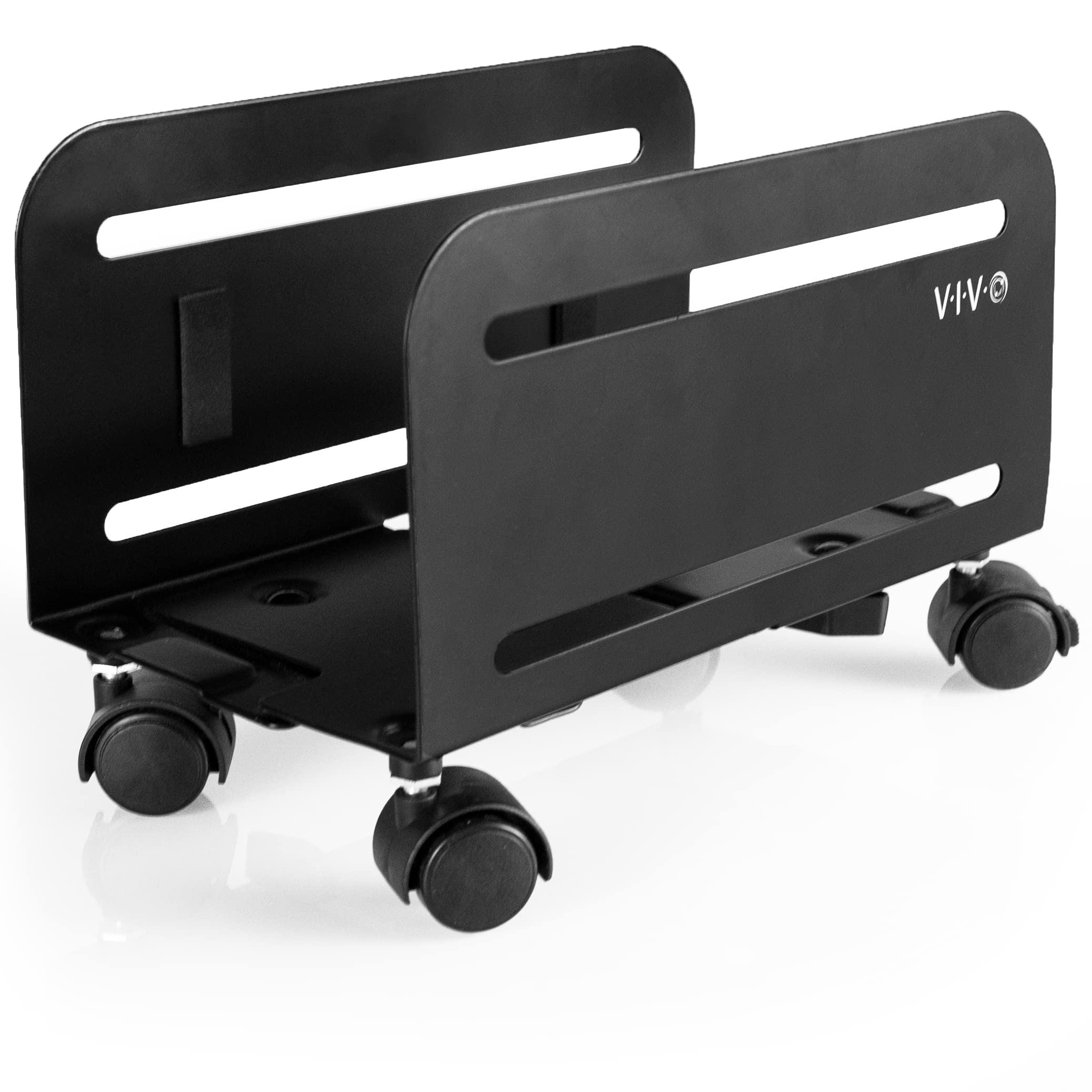
- Adjustable width from 4.7 to 8.2 inches for compatible PC cases; measure the tower before buying.
- Four caster wheels allow the cart to move around the workspace, and two wheels lock to keep it stationary.
- High-grade steel construction with a matte black powder-coated finish.
- Interior padding helps protect the computer case from scratches.

Pros
- Adjustable width covers a useful span of mid-tower case sizes.
- Casters make it easier to reposition a desktop computer for access or workspace changes.
Consider before buying
- The 8.2-inch maximum width rules out cases that exceed the adjustment range, so measuring is essential.
- A rolling stand occupies floor space and may not work as well as a fixed mount in a tightly packed workspace.
Read the full review summary
This cart addresses a simple workspace problem: a tower sitting directly on the floor can be harder to move and keep clear of dust and obstructions.
Four casters make repositioning possible, while two locks can hold the stand in place when you have found a suitable spot.
Its low-profile frame is intended to raise the computer without taking up the space of a full equipment cabinet.
The main buying decision is fit. The support adjusts for PC cases 4.7 to 8.2 inches wide, and VIVO advises checking the case dimensions before purchase.
If your tower is within range and you want a movable floor stand, the feature set is straightforward; if you need an under-desk mount, this cart’s rolling floor-level format may not suit your layout.
The buying factors
VIVO PC Cart Scorecard
Editorial scores reflect listed features and buyer fit; they are not laboratory measurements or customer ratings.
Width adjustability
The 4.7-to-8.2-inch adjustment range accommodates a range of tower widths, though buyers need to measure their own case.
Mobility
Four casters support repositioning, with two locks for keeping the cart stationary when needed.
Floor clearance
The stand raises the case off the floor, which can help keep the tower clear of floor dust and improve access around it.
Case protection
Inside padding is intended to protect the case from scratches, and the steel construction provides a sturdy frame.
Setup simplicity
Hardware and step-by-step instructions are included, and assembly is described as minimal.
Workspace flexibility
A compact rolling stand is easy to place, but it still occupies floor space beside or beneath a desk.
Key Features and Specifications of VIVO PC Cart
- Adjustable width from 4.7 to 8.2 inches for compatible PC cases; measure the tower before buying.
- Four caster wheels allow the cart to move around the workspace, and two wheels lock to keep it stationary.
- High-grade steel construction with a matte black powder-coated finish.
- Interior padding helps protect the computer case from scratches.
- Low-profile design lifts the PC off the floor and is intended to help keep it clean and well ventilated.
- Minimal assembly with included hardware and step-by-step instructions; the product includes a three-year warranty.
Pros and Cons of VIVO PC Cart
Pros
- Adjustable width covers a useful span of mid-tower case sizes.
- Casters make it easier to reposition a desktop computer for access or workspace changes.
- Two locking wheels provide a way to keep the cart from rolling when positioned.
- Padded interior surfaces help protect the case finish.
Consider before buying
- The 8.2-inch maximum width rules out cases that exceed the adjustment range, so measuring is essential.
- A rolling stand occupies floor space and may not work as well as a fixed mount in a tightly packed workspace.
- Only two of the four casters lock, so placement and floor conditions may affect how firmly it stays put.
Who Should Buy VIVO PC Cart?
Good fit
Consider the VIVO PC Cart if your desktop tower is within the 4.7-to-8.2-inch width range and you want to move it without lifting the case.
The four wheels can help when you need to reach rear connections, clean around the setup, or shift the computer to a nearby position.
It is also a reasonable fit if your goal is simply to keep the tower raised off the floor.
The padded interior and locking casters add practical touches, while the steel frame and included assembly hardware keep the design uncomplicated.
Before ordering, check the case width at the point where the cart will support it and confirm you have room to roll the computer where you need it.
Who should skip it
Skip this format if you need to mount the PC beneath a desk or attach it to a wall; this product is a mobile floor cart.
Also look elsewhere if your case is wider than 8.2 inches or you need a stand whose wheel locks secure all four corners.
What the VIVO PC Cart Means for Your Setup
Measure the case before choosing
The stand’s adjustable range is the most important compatibility detail. Compare the case width with the full 4.7-to-8.2-inch span, allowing for any protrusions where the cart contacts the case.
A close fit check helps prevent choosing a stand that cannot accommodate the tower.
Mobility adds access, with a placement tradeoff
Casters can make a heavy desktop easier to shift for cable access or cleaning, without requiring you to pick it up each time.
The locks let you set two wheels stationary, though a cart remains a wheeled support; place it on a surface where it can roll predictably and where the tower will not obstruct foot traffic.
A low-profile way to get off the floor
Raising the tower can create separation from floor dust and leave more airflow space around its base.
This is a design implication rather than a guarantee of lower temperatures or easier cleaning, so leave enough clearance around the case’s vents and choose a position that does not block them.
A simple frame for a specific use
Steel construction, a powder-coated finish, and interior padding focus the design on supporting and protecting the case during ordinary placement and movement. Assembly is described as minimal, with hardware and instructions included.
The compact format keeps the solution simple, but does not provide the enclosing storage or cable management of a larger PC cabinet.
Alternatives to VIVO PC Cart
One alternative is included because it serves the same goal of positioning a desktop case off the floor while offering a distinct mounting approach.
Computer Racks & Cabinets alternative
2,000+ ratings
Read Amazon ReviewsVIVO Under Desk and Wall Office PC Mount with Swivel
Choose the cart if you want a wheeled floor stand and your case fits its width range.
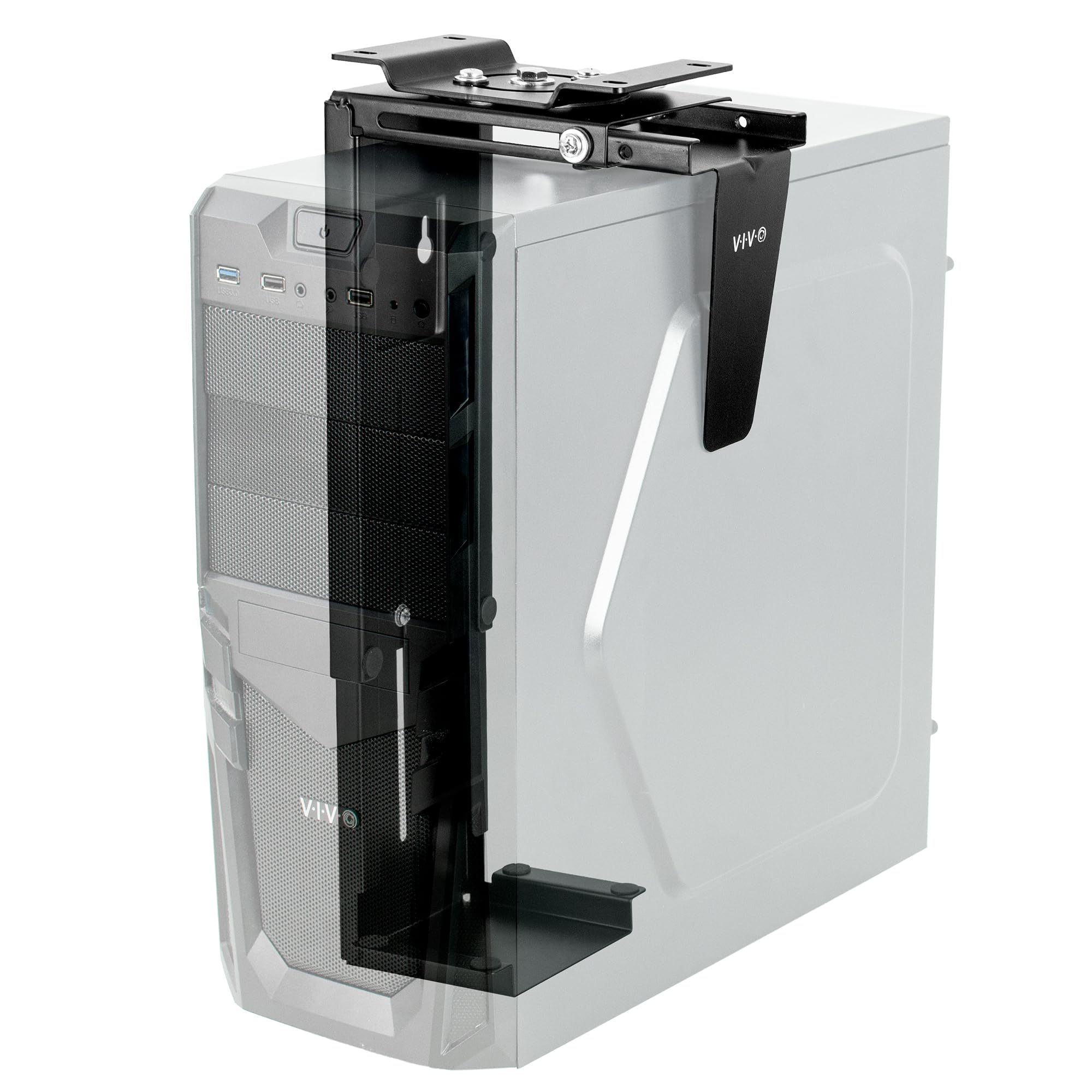
Consider the mount if freeing floor space and swiveling the PC for cable access matter more, after checking the case dimensions, weight, and mounting surface.
- This adjustable bracket mounts under a desk or on a wall, supports cases 3.5 to 7.8 inches wide and 11.5 to 20.5 inches high, and swivels up to 135 degrees for access to rear ports.
- It supports up to 22 pounds and requires a desk at least one inch thick for under-desk mounting.
- The VIVO PC Cart rolls on the floor, adjusts for cases 4.7 to 8.2 inches wide, and uses two locking casters to hold its position.
Is VIVO PC Cart Worth It?
The VIVO Adjustable Mobile Mid-Tower PC Cart is worth considering if you want a low-profile rolling stand and your case measures within its 4.7-to-8.2-inch range.
Its adjustable frame, padded interior, and two locking casters make it a practical fit for a workspace where the tower may need to move.
Measure the case and think through where the cart will sit before buying. If you need to clear floor space completely or your tower falls outside the width range, a fixed mounting format may fit your setup better.
Your review at a glance
7,000+ ratings
Read Amazon ReviewsVIVO Adjustable Mobile Mid-Tower PC Cart
A practical choice for desktop owners who want to raise a compatible tower off the floor and move it around the workspace.
- Adjustable width from 4.7 to 8.2 inches for compatible PC cases; measure the tower before buying.
- Four caster wheels allow the cart to move around the workspace, and two wheels lock to keep it stationary.
- High-grade steel construction with a matte black powder-coated finish.
- Interior padding helps protect the computer case from scratches.