The best wireless earbuds for work depend on whether you need clear calls, fewer distractions, or awareness of coworkers and your surroundings. These picks include multipoint options for laptop-and-phone use, open-ear designs, and work-focused hearing protection, so match the features to your workday.
Quick Top Products
SHOKZ OpenFit Pro
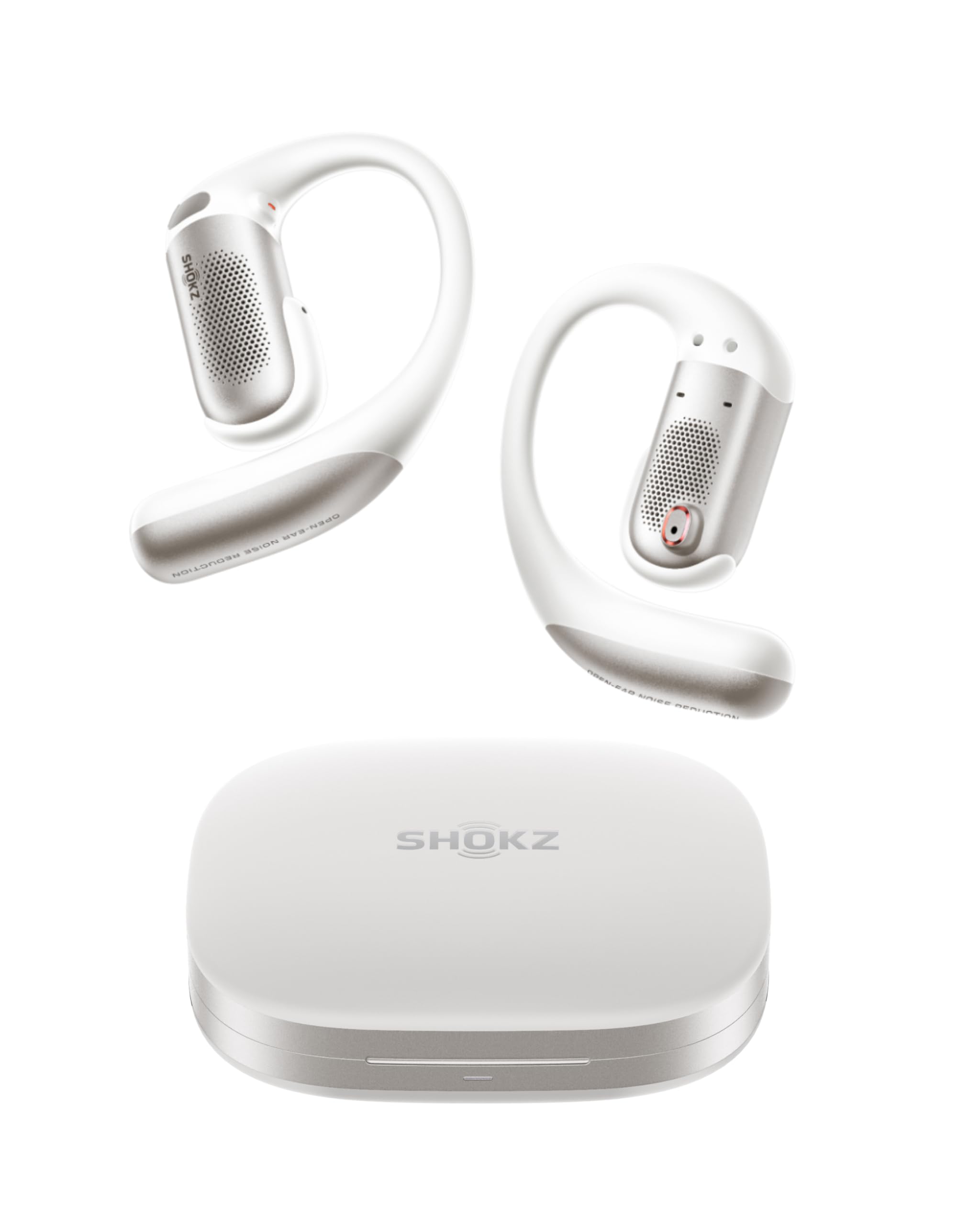
- Connects to two devices at once for phone-and-laptop use.
- Uses three microphones with AI voice recognition for calls.
- Offers up to 50 hours total with the case; noise reduction changes single-charge runtime.
Best For: People who want open-ear listening and quick switching between a laptop and phone.

SHOKZ OpenFit 2
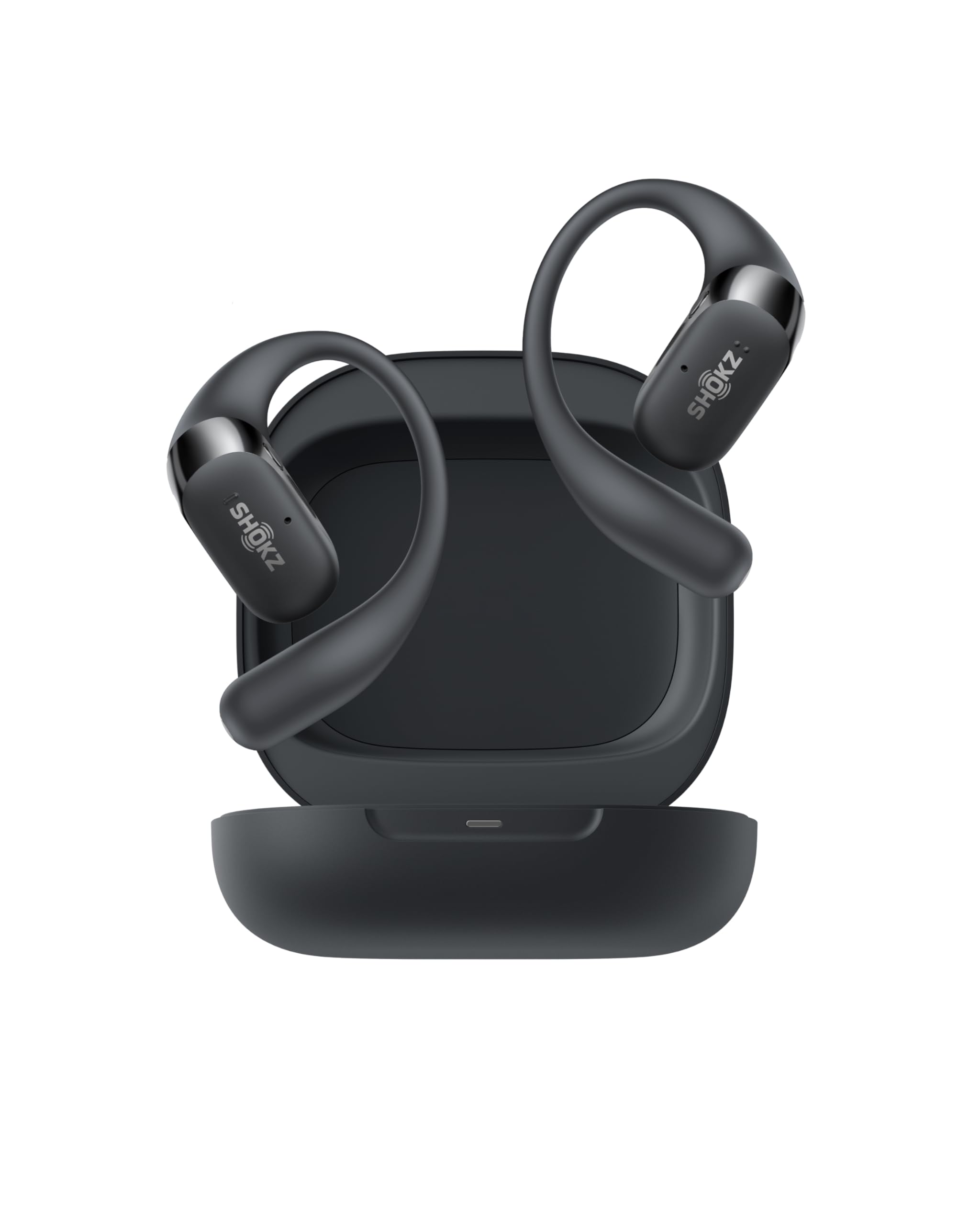
- Provides up to 11 hours per charge and 48 hours with the case.
- Uses an open-ear design with dual noise-cancelling microphones.
- Physical buttons can control calls and switch between two paired devices.
Best For: Listeners who want open-ear comfort, physical controls, and long stated battery life.
Donner Dobuds ONE
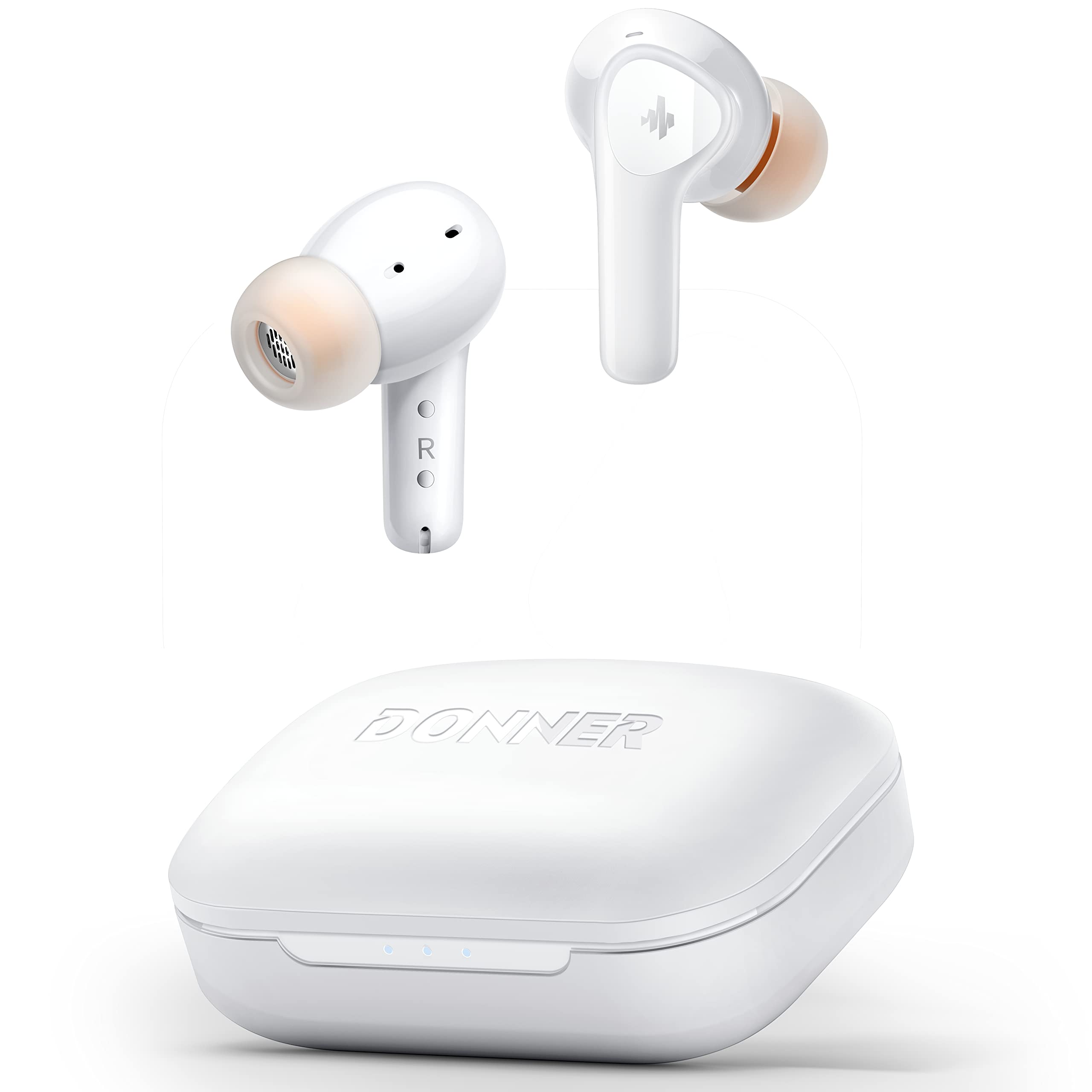
- Active noise cancellation is rated to reduce noise by up to 30 dB in a stated frequency range.
- Four microphones support calls with beamforming noise cancelling.
- The app offers EQ customization and transparency mode switching.
Best For: Desk workers who prefer in-ear noise control, adjustable sound, and calls through a four-mic system.
JLab JBuds Sport ANC 4
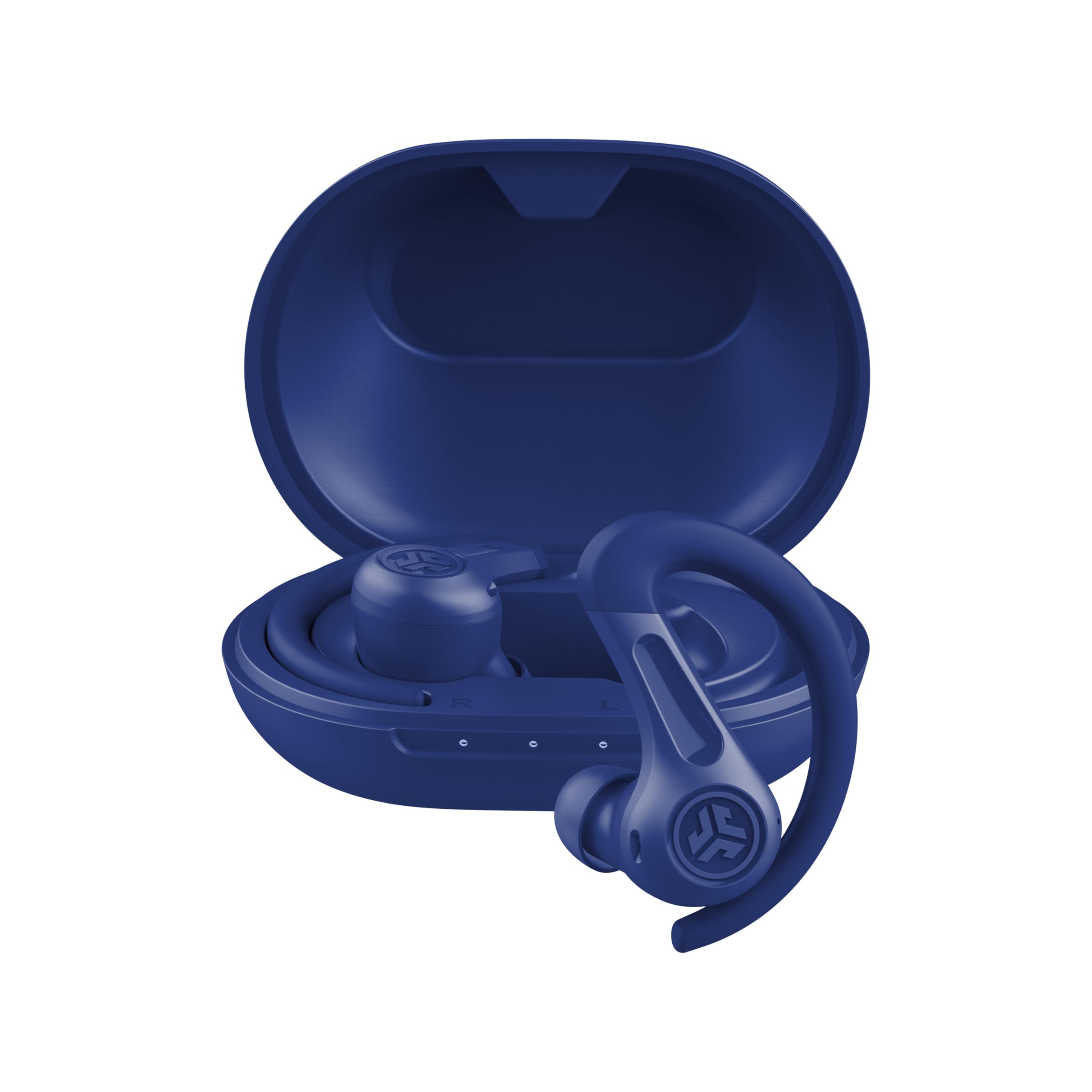
- Bluetooth Multipoint connects to two devices simultaneously.
- ANC and Be Aware mode offer different ways to manage outside sound.
- The case supports a stated total of more than 60 hours.
Best For: People who want earhooks, active noise cancellation, and simultaneous phone-and-laptop pairing.
Rythflo WH03
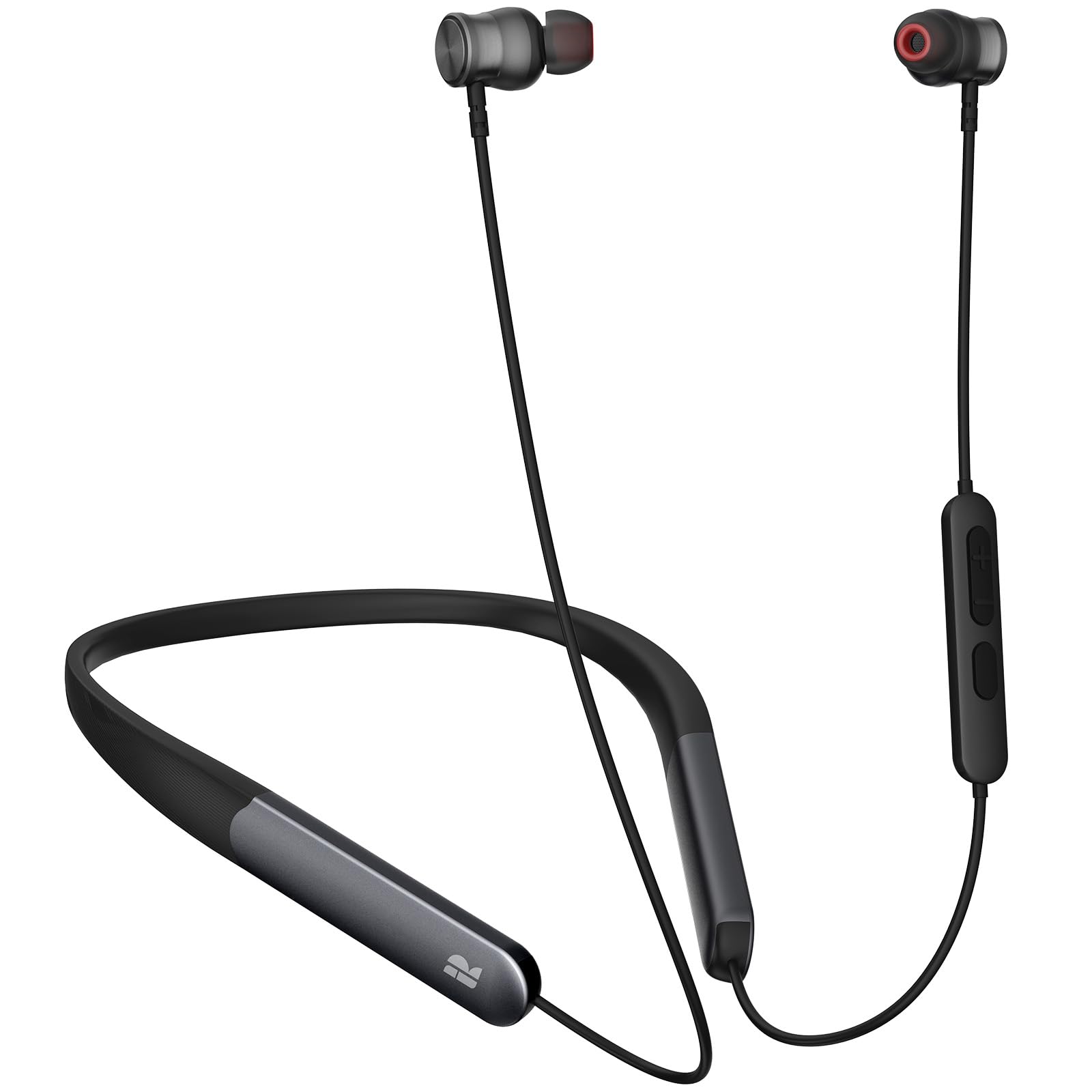
- Uses a magnetic neckband design.
- Supports Bluetooth 5.3 and button control.
- The stated playtime is up to 150 hours.
Best For: Workers who favor a neckband and long stated playback over a fully wireless case-and-bud setup.
JLab JBuds Mini
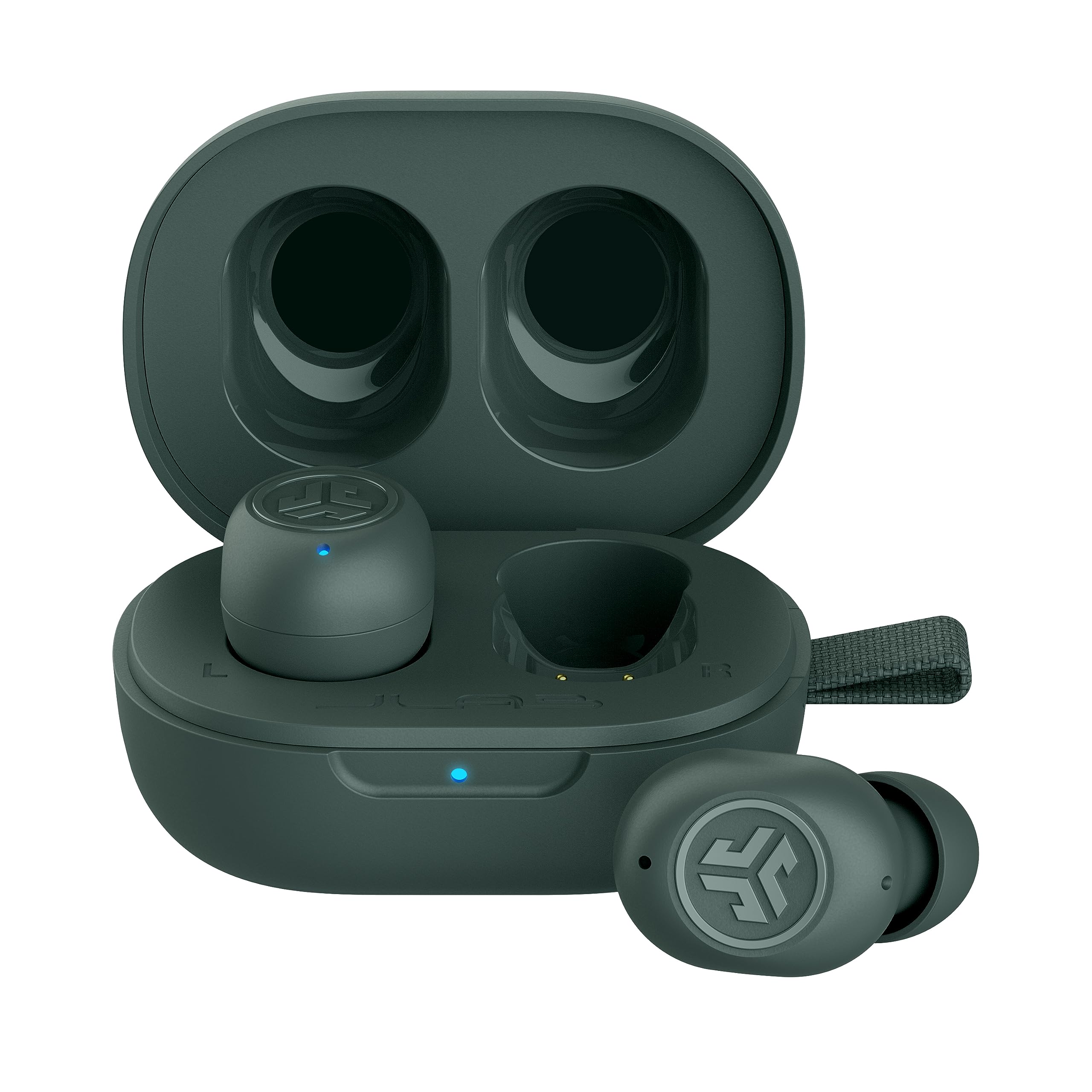
- Bluetooth Multipoint connects to two devices simultaneously.
- Be Aware Audio lets ambient sound in without removing the earbuds.
- Provides 5.5 hours per earbud and 20 hours total with the case.
Best For: People who want a small in-ear design with simultaneous phone-and-computer pairing.
JLab Go Air Pop+
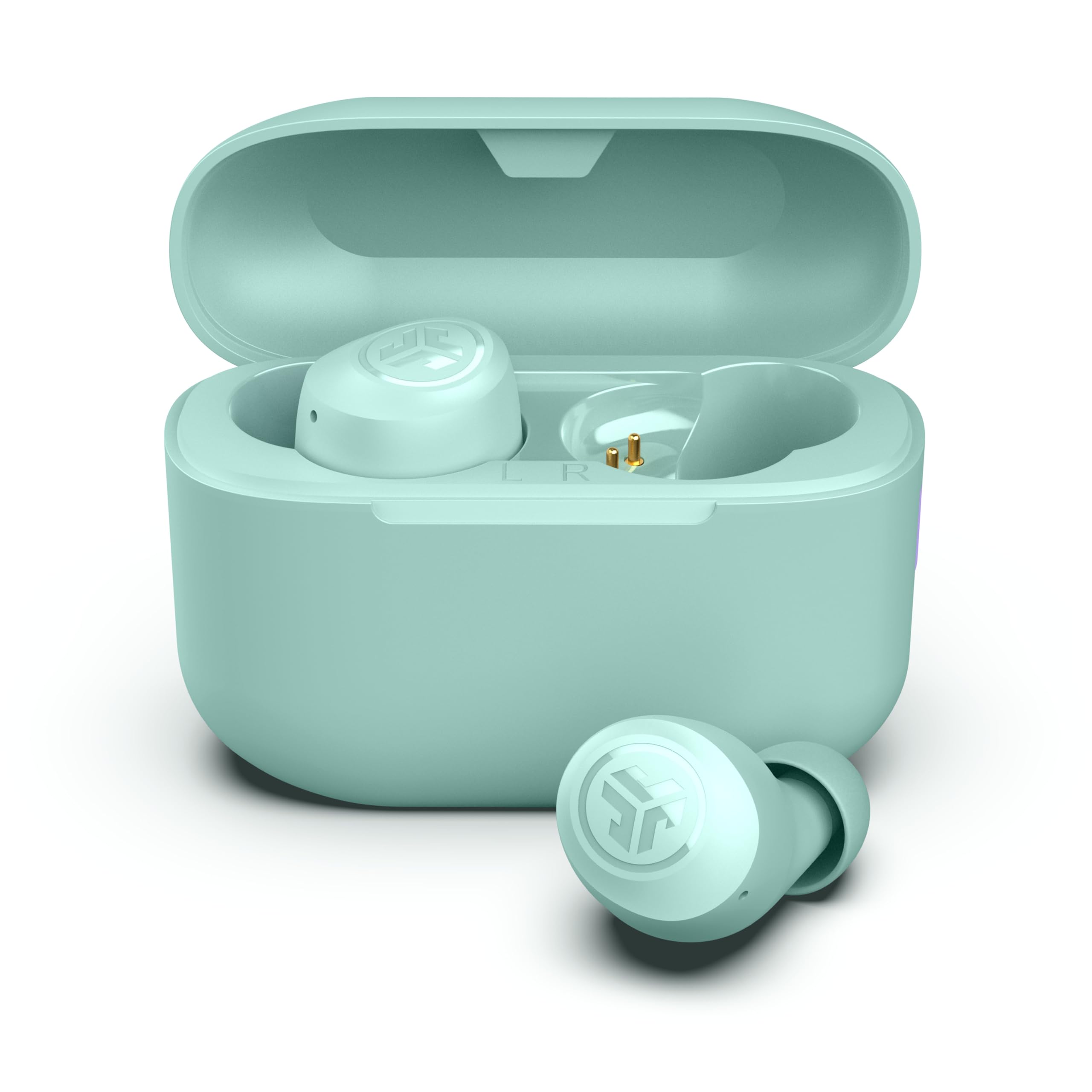
- Provides 9-plus hours per earbud and 35-plus hours total with the case.
- Dual Connect allows use of either earbud independently.
- The app can adjust EQ settings and manage touch controls.
Best For: Workers seeking long stated playback, an app, and the option to use one earbud independently.
JLab Flex
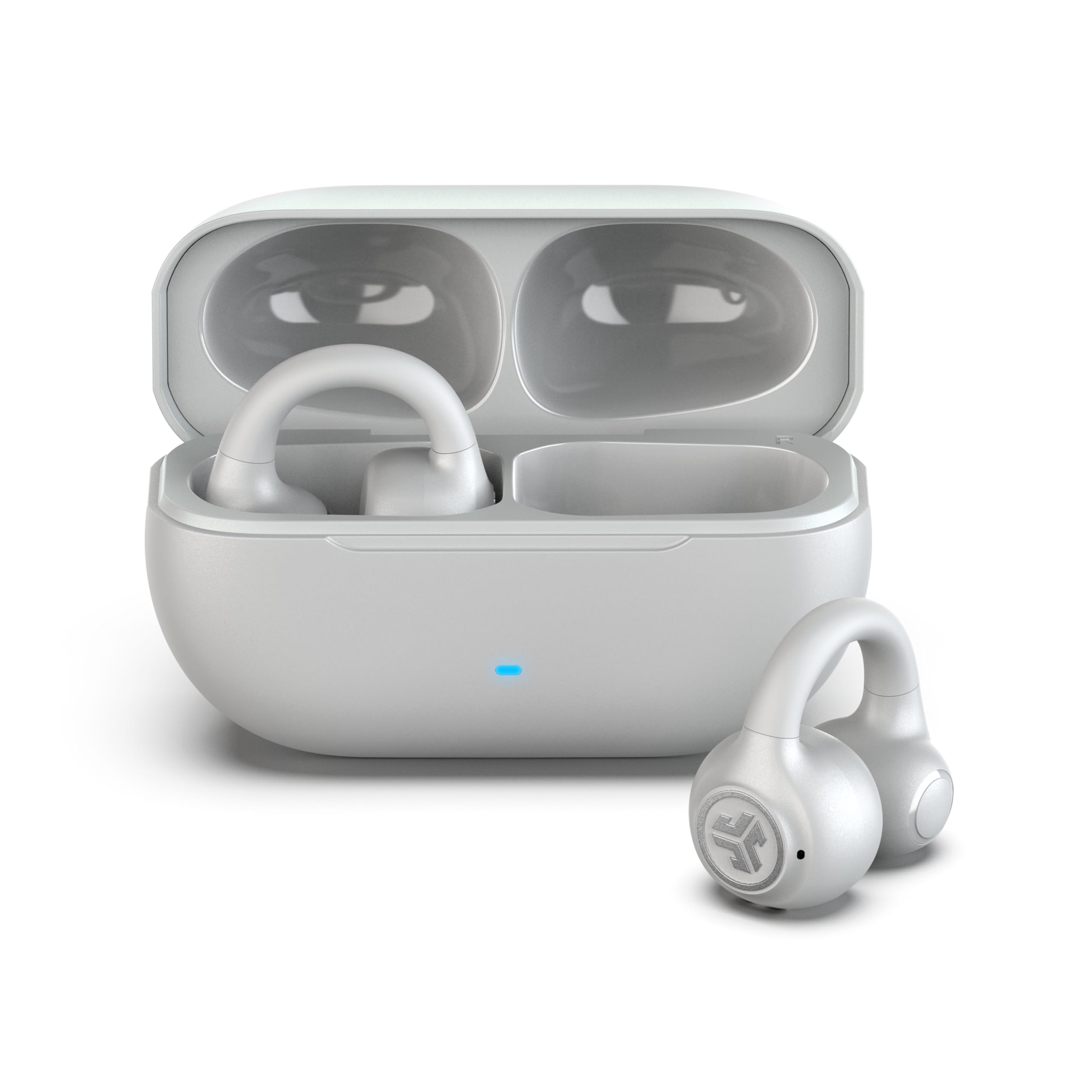
- The clip-on design holds around the outer ear without ear tips.
- Multipoint connects two devices simultaneously.
- The MEMS microphone is intended to filter background noise for calls.
Best For: Workers who want an open-ear clip-on design and multipoint pairing without in-ear tips.
Amazfit Up
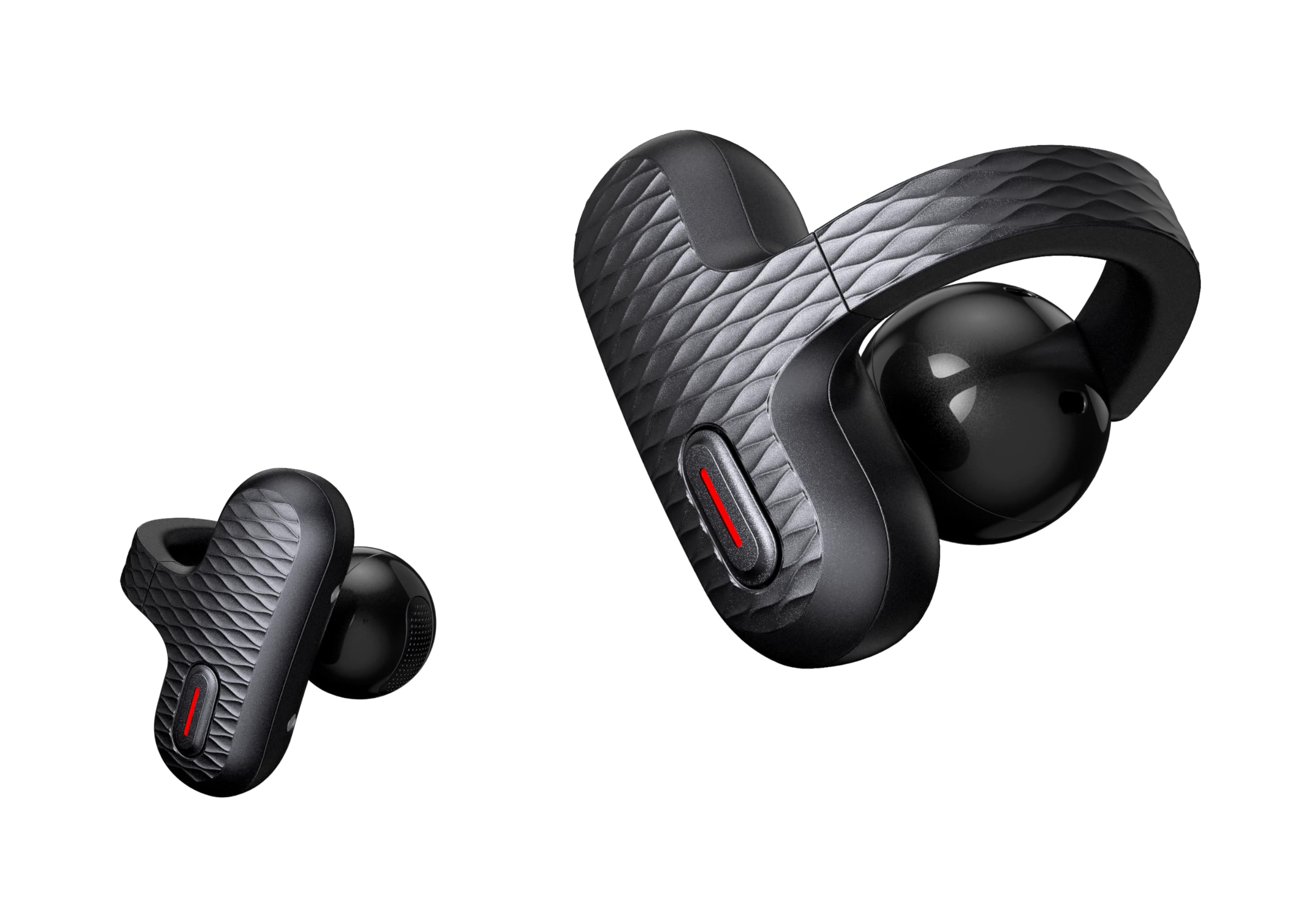
- The open-ear design keeps the ear canal unobstructed.
- AI-enhanced call quality filters wind and noise.
- It pairs when removed from the case for calls and meetings.
Best For: People who want open-ear listening, quick connection, and touch controls for calls and meetings.
JLab Go Pop ANC
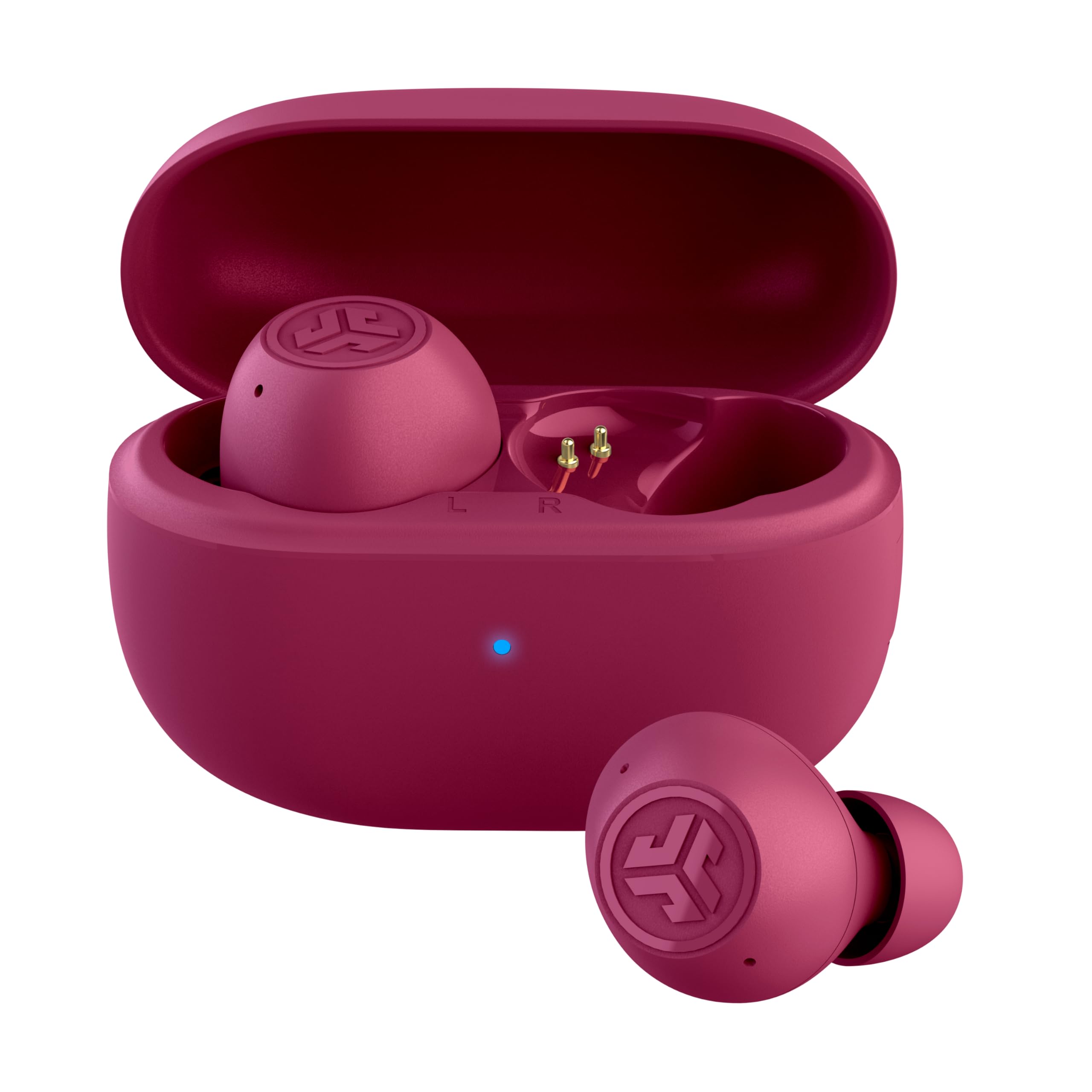
- Three modes include ANC on, ANC off, and Be Aware.
- Dual Connect supports independent use of either earbud.
- A 10-minute fast charge provides one hour of playback.
Best For: Workers who want compact in-ear earbuds with ANC, Be Aware mode, and independent-earbud use.
Laptop-and-Phone Switching
SHOKZ OpenFit Pro Open-Ear Earbuds with Noise Reduction, Dolby Atmos, White | Bundle with Gym Bag; Deep Bass, 50H Playtime, AI call clarity; Bluetooth 6.1; IP55 Secure all-day fit; Gym/Office/Cafe use
The OpenFit Pro is an open-ear option for workdays that move between calls, focused listening, and conversation nearby. Bluetooth 6.1 MultiPoint Pairing connects it to two devices at once, which can simplify switching between a phone and laptop.
Its triple-mic system supports calls, while physical buttons provide control without relying on touch gestures. Noise reduction is adjustable, but the design still keeps you aware of your surroundings.
Battery life varies with that feature: the case provides up to 50 hours total, while noise reduction is on for up to 6 hours per charge. Consider whether open-ear audio fits your office and call privacy needs.
Best For: People who want open-ear listening and quick switching between a laptop and phone.
| Pros | Cons |
|---|---|
|
|
Choose the OpenFit Pro if your workday involves switching between a computer and phone and you prefer open-ear listening. Its multipoint pairing and physical buttons are practical for that pattern.
The tradeoff is that noise reduction on limits single-charge listening to up to 6 hours, so consider how often you will use it and whether the open-ear fit suits your office. The product details do not specify how much sound coworkers nearby may hear, so check that fit against your need for call privacy.
Long Open-Ear Work Sessions
SHOKZ OpenFit 2 Open-Ear Headphones,True Wireless Bluetooth Earphones with Microphone,Earhook Earbuds with 48 Hours of Playtime,Fast Charging,IP55 Water-Resistant,with Carrying Bag,Black,Bluetooth5.4
The OpenFit 2 pairs an open-ear design with earhooks and physical buttons, making it a workday option for people who dislike in-ear tips or want to keep some awareness of their surroundings. Shokz lists up to 11 hours on a single charge and 48 hours with the case, plus a quick charge feature.
Dual noise-cancelling microphones are included for calls, and the buttons can handle volume, tracks, and device switching. The open format may suit desk work where you still need to hear nearby activity.
Check whether it fits your call-privacy needs, since the product details do not specify sound leakage.
Best For: Listeners who want open-ear comfort, physical controls, and long stated battery life.
| Pros | Cons |
|---|---|
|
|
This is a strong fit for people who want open-ear listening with substantial stated battery life and tactile controls. The 48-hour case total is higher than the OpenFit Pro's stated total, though the Pro includes noise reduction and multipoint details tailored to device switching.
The OpenFit 2 also switches between two paired devices with a button press. Before choosing an open-ear model for a shared office, consider whether nearby people might hear your audio; leakage is not specified here.
Noise Control and App EQ
Donner Wireless Earbuds Noise Cancelling, Bluetooth 5.2 Earphones with 5 x EarTips, 4 Mic Clear Calls, 12mm Drivers, App for Custom EQ, 32H Playtime, Fast Charging, Transparency - Dobuds ONE,White
The Donner Dobuds ONE takes the in-ear route, with active noise cancellation and a transparency mode available through its app. That combination can suit desk work when you want to reduce background distractions but still have an option for hearing outside sound.
Four built-in microphones and beamforming are intended to support calls, while five eartip sizes give more fit choices than many basic sets. Its stated total playback is 32 hours, with 8 hours from the earbuds when ANC is off.
Keep in mind that the charging case is not waterproof, and the notes do not give a separate runtime with ANC enabled.
Best For: Desk workers who prefer in-ear noise control, adjustable sound, and calls through a four-mic system.
| Pros | Cons |
|---|---|
|
|
Choose the Dobuds ONE if you want in-ear noise control and app adjustments for a desk environment. Its ANC, transparency mode, and five tip sizes make it more adaptable to changing surroundings than a simple passive in-ear pair.
The tradeoff is that the stated 8-hour earbud runtime applies with ANC off; runtime with ANC enabled is not given. The case is also explicitly not waterproof, so keep it away from spills and check whether your usual work routine requires longer unplugged sessions.
Workout-to-Work Multipoint
JLab, JBuds Sport ANC 4, True Wireless Earbuds, Active Noise Cancelling, Bluetooth, Multipoint Connect, Cobalt Blue
The JBuds Sport ANC 4 combines an earhook fit with active noise cancellation, Be Aware mode, and multipoint Bluetooth. For a workday that includes calls on a laptop and phone, the two-device connection can reduce the need to unpair and reconnect.
The product also offers a stated 14-plus hours per earbud and 60-plus total with its case. Its sport-focused IP66 rating and earhook shape are useful if work transitions into exercise, though the design may feel more conspicuous than compact earbuds at a desk.
Consider whether you want that secure sport fit for long stretches of seated listening.
Best For: People who want earhooks, active noise cancellation, and simultaneous phone-and-laptop pairing.
| Pros | Cons |
|---|---|
|
|
Pick the JBuds Sport ANC 4 if you want one set for work and workouts, especially when switching between a laptop and phone matters. The earhook and IP66 rating are sport-oriented, while ANC and Be Aware mode address changing sound needs.
Its stated case total is generous, but the details do not say how long it runs with ANC active. Compared with compact earbuds, the earhook is a more noticeable form factor, so make sure that style is comfortable for long desk sessions.
Neckband with Extended Playback
Rythflo Bluetooth Headphones, 150H Playtime Wireless Bluetooth Earbuds w/Mic in-Ear Magnetic Neckband Earphone, IPX7 Sweatproof Deep Bass Headset for Home, Traveling, Outdoor, Business Trips
The Rythflo WH03 uses a magnetic neckband with in-ear buds, an arrangement that keeps the earpieces linked when you remove them between calls or tasks. It offers Bluetooth 5.3, button controls, and compatibility with phones, tablets, laptops, and desktops.
The headline battery figure is up to 150 hours, and the notes also describe a 10-minute charge for 15 hours of listening. This is a useful format for workers who prefer a neckband over separate true wireless earbuds.
The product details list no noise control, so it is better suited to ordinary office sound than a buyer specifically seeking active noise cancellation.
Best For: Workers who favor a neckband and long stated playback over a fully wireless case-and-bud setup.
| Pros | Cons |
|---|---|
|
|
Choose the WH03 if a neckband is more practical for your work routine than placing two separate earbuds in a case. Its long stated playback and broad device compatibility are useful for extended shifts, and the magnetic design can keep the earpieces together when not in use.
The tradeoff is the neckband form and the absence of noise control, so it will not suit someone prioritizing a pocket-sized case or active distraction reduction. Check that your laptop supports Bluetooth audio.
Compact Earbuds with Multipoint
JLab JBuds Mini, True Wireless Earbuds, Bluetooth Multipoint, IP55 Sweat Resistant, Be Aware Audio, Sage
The JBuds Mini is JLab's smallest-earbud option in these records, with multipoint pairing for connecting to two devices simultaneously. That can help when you need to move between laptop audio and a phone call without manual re-pairing.
Be Aware Audio allows ambient sound in without removing the earbuds, while the app adds EQ and control adjustments. Each earbud is stated to provide 5.5 hours, with 20 hours total from the case.
Its compact size suits commuting and desk use, though the shorter per-charge runtime is worth considering for long meetings or a day away from the case.
Best For: People who want a small in-ear design with simultaneous phone-and-computer pairing.
| Pros | Cons |
|---|---|
|
|
The JBuds Mini suits workers who value a compact fit and frequent switching between a computer and phone. Multipoint and Be Aware Audio address those needs directly, while the app provides EQ and control customization.
The main tradeoff is its 5.5-hour per-earbud runtime, which may be limiting for long stretches without access to the case. If you mainly work from a desk and can recharge between sessions, its small size may matter more than the longer runtimes available in larger designs.
Workday Battery and Dual Connect
JLab Go Air Pop+, True Wireless Earbuds, Bluetooth Earbuds with Microphone, Dual Connect, EQ3 Sound, Mint Green
The Go Air Pop+ offers up to 9 hours per earbud and 35-plus hours with the case, along with Bluetooth 5.3 and Dual Connect. The independent-earbud option can be useful for calls when you want one ear free, while each bud has a MEMS microphone.
JLab's EQ3 modes cover Signature, Bass Boost, and Balanced sound, with app support for EQ and touch controls. Its compact in-ear fit and three gel tip sizes make it a straightforward everyday work choice.
It does not list ANC or multipoint pairing, so check whether you need stronger noise management or automatic switching between computer and phone.
Best For: Workers seeking long stated playback, an app, and the option to use one earbud independently.
| Pros | Cons |
|---|---|
|
|
Choose the Go Air Pop+ if battery life and independent-earbud use are your priorities. Dual Connect makes a one-ear call setup possible, and the 35-plus-hour total leaves less need to recharge the case during a typical workweek.
The tradeoff is that the record does not specify ANC or multipoint, features that can matter in a noisy workspace or when you move between a laptop and phone. Check those needs before choosing it over models with explicit noise control or two-device pairing.
Open-Ear Fit Without Ear Tips
JLab, Flex, Open Ear Earbuds, Clip On Wireless Bluetooth Earbuds, Open Ear Headphones, Cloud White
The JLab Flex uses a clip-on cuff that sits around the outer ear, with speakers outside the ear canal and no ear tips. This can suit people who find in-ear pressure uncomfortable or want to remain aware of nearby activity while listening.
Bluetooth multipoint connects two devices at once, and the MEMS noise-cancelling microphone is intended to filter background noise on calls. The stated playback is 7-plus hours per earbud and 21-plus hours total with the case.
Its open format will not provide the same in-ear isolation as sealed earbuds, so consider your office noise and privacy needs before choosing it.
Best For: Workers who want an open-ear clip-on design and multipoint pairing without in-ear tips.
| Pros | Cons |
|---|---|
|
|
Pick the Flex if in-ear tips bother you and you want to move between two devices during the workday. Its cuff fit, open-ear speakers, multipoint pairing, and background-noise-filtering mic target that use case.
The tradeoff is the open listening style: it helps keep you aware of your surroundings but does not seal the ear canal. If colleagues sit nearby or your workspace is noisy, consider whether that format offers enough privacy and focus for your calls.
Open-Ear Calls and Quick Pairing
Amazfit Up Bluetooth Headphones, Open Ear Wireless Earbuds with Easy Touch, IPX4 Water Resistant & Sweatproof, AI Noise Reduction, Earphones for Sports, Running, Compatible with Android & iPhone
Amazfit Up is an open-ear option with touch controls and an emphasis on quick connection when removed from the case. Its notes describe AI-enhanced call quality that filters wind and noise, which may suit workers taking calls in busy or outdoor environments.
The unobstructed ear canal can also help you remain aware of nearby activity. Touch controls are described as humidity- and sweat-resistant, and voice assistant access is available through triple-tap or a compatible Amazfit watch.
Battery life, Bluetooth version, and multipoint pairing are not specified, so check those details if your workday involves long sessions or frequent laptop-and-phone switching.
Best For: People who want open-ear listening, quick connection, and touch controls for calls and meetings.
| Pros | Cons |
|---|---|
|
|
Consider Amazfit Up if you want open-ear comfort and work calls are more important than advanced connection details. Its quick pairing, AI-enhanced call processing, and touch controls make it oriented toward convenient use across meetings and movement.
The key tradeoff is uncertainty around battery runtime and multipoint support. If you need reliable laptop-and-phone switching or a predictable full-day charge, verify those details before buying; the supplied product information does not give them.
Compact ANC for Calls and Focus
JLab Go Pop ANC True Wireless Earbuds & Charging Case, Fuchsia, Active Noise Cancelling, 10mm Drivers, Dual Connect, Customize Your Sound with App, Be Aware Mode, Compact Fit, MEMS Microphone
The Go Pop ANC combines active noise cancelling with an option to hear more of your surroundings through Be Aware mode. Its compact case is smaller than a credit card, and each earbud is stated to last 7-plus hours, with 27-plus total hours including the case.
Dual Connect allows one earbud to be used independently, while a MEMS microphone in each bud supports calls. The app adds EQ presets and control adjustments.
This setup suits commuters and desk workers who want a small carry case with multiple noise modes. The records do not specify multipoint pairing, so check whether switching between laptop and phone is important.
Best For: Workers who want compact in-ear earbuds with ANC, Be Aware mode, and independent-earbud use.
| Pros | Cons |
|---|---|
|
|
Choose the Go Pop ANC if compact size and selectable noise modes matter more than device switching. ANC and Be Aware give you options for focused listening and situational awareness, while Dual Connect supports using one earbud for a call.
The case and fast charge suit commuting or short charging breaks. Before buying for a computer-heavy work setup, verify multipoint support: independent-earbud use does not itself establish that two devices can remain connected simultaneously.
How to Choose Wireless Earbuds For Work
How We Picked Wireless Earbuds for Work
These picks have a practical work connection in their documented features: call microphones, multipoint pairing, noise control, open-ear awareness, or long playback. They cover different routines, from switching between a laptop and phone to keeping an ear open for nearby conversation.
Sport-focused models made the cut when they also offered work-relevant features such as multipoint, call controls, or ANC. Similar color offers and overlapping model variants were represented once.
Comparing Wireless Earbuds for Work
The main choice is between in-ear isolation and open-ear awareness. The Donner Dobuds ONE and JLab Go Pop ANC offer in-ear noise-control modes, while the SHOKZ OpenFit models and JLab Flex leave the ear canal open.
Open-ear designs can suit a desk where you need to hear the room, but the supplied details do not establish sound privacy in shared spaces.
Device switching is another useful divider. The OpenFit Pro, JBuds Sport ANC 4, JBuds Mini, and JLab Flex explicitly support two-device pairing.
The Go Air Pop+ and Go Pop ANC support independent-earbud use, which can keep one ear free for a call, but that is different from multipoint. The coordinator's comparison table provides a quick view of these distinctions.
| Product | Standout features | Best for |
|---|---|---|
| SHOKZ OpenFit ProCheck Price |
| People who want open-ear listening and quick switching between a laptop and phone. |
| SHOKZ OpenFit 2Check Price |
| Listeners who want open-ear comfort, physical controls, and long stated battery life. |
| Donner Dobuds ONECheck Price |
| Desk workers who prefer in-ear noise control, adjustable sound, and calls through a four-mic system. |
| JLab JBuds Sport ANC 4Check Price |
| People who want earhooks, active noise cancellation, and simultaneous phone-and-laptop pairing. |
| Rythflo WH03Check Price |
| Workers who favor a neckband and long stated playback over a fully wireless case-and-bud setup. |
| JLab JBuds MiniCheck Price |
| People who want a small in-ear design with simultaneous phone-and-computer pairing. |
| JLab Go Air Pop+Check Price |
| Workers seeking long stated playback, an app, and the option to use one earbud independently. |
| JLab FlexCheck Price |
| Workers who want an open-ear clip-on design and multipoint pairing without in-ear tips. |
| Amazfit UpCheck Price |
| People who want open-ear listening, quick connection, and touch controls for calls and meetings. |
| JLab Go Pop ANCCheck Price |
| Workers who want compact in-ear earbuds with ANC, Be Aware mode, and independent-earbud use. |
Choosing Earbuds for Calls and Meetings
Look for microphone details that fit your setting. The OpenFit Pro has a triple-mic system with AI voice recognition, while the Donner model has four built-in microphones and beamforming.
Amazfit Up describes AI-enhanced call filtering for wind and noise. Those features address voice pickup, but the records do not provide comparable call-quality measurements, so prioritize the connection features and fit you need rather than assuming one is objectively clearer.
If you regularly take calls in a shared room, consider whether an open-ear design's sound leakage fits your privacy needs. If you use in-ear earbuds, check the eartip sizes and whether ANC or a transparency mode helps with your work environment.
The product facts do not specify privacy performance across these options.
Battery Life and Device Switching for a Workday
Compare per-charge runtime with the total that includes a case. The OpenFit 2 lists up to 11 hours per charge, the Go Air Pop+ up to 9 hours, and the JBuds Mini 5.5 hours; their case totals use different figures and conditions.
The OpenFit Pro's runtime changes with noise reduction, so decide whether that feature will be on for much of your day. The Rythflo WH03 offers a neckband form and a high stated playtime, but it lists no noise control.
Multipoint is useful when you regularly move between computer audio and phone calls. Confirm that the model supports simultaneous connections if that workflow matters; using a single earbud independently does not necessarily mean two devices stay connected.
Also check your computer's Bluetooth audio support and how you will charge the case at your desk.
Who Should Buy Which Work Earbuds?
Choose an open-ear model such as the SHOKZ OpenFit Pro or OpenFit 2 if you want to stay more aware of nearby activity, and favor the Pro when laptop-and-phone switching is central. Pick the Donner Dobuds ONE or JLab Go Pop ANC if you prefer in-ear noise modes for a more focused listening setup.
The JBuds Sport ANC 4 combines work-relevant multipoint and ANC with an earhook for people who also want a sport fit.
For a compact design with two-device pairing, consider the JBuds Mini or JLab Flex, depending on whether you prefer in-ear tips or an open-ear cuff. The Go Air Pop+ is a simpler choice when long stated playback and independent-earbud calls matter more than ANC or documented multipoint.
Choose the Rythflo WH03 if you prefer a neckband and its lack of noise control suits your workplace.